Popular Email Providers
- Gmail: 25 MB
- Outlook: 20 MB
- Yahoo: 25 MB
- iCloud: 20 MB
Have you ever found yourself frustrated by email limits while trying to send large files? You're not alone. In a world where collaboration is key, understanding how to navigate these limitations can make a significant difference in your productivity. Let's explore essential insights that can streamline your file-sharing process.
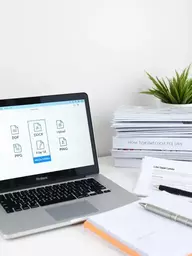
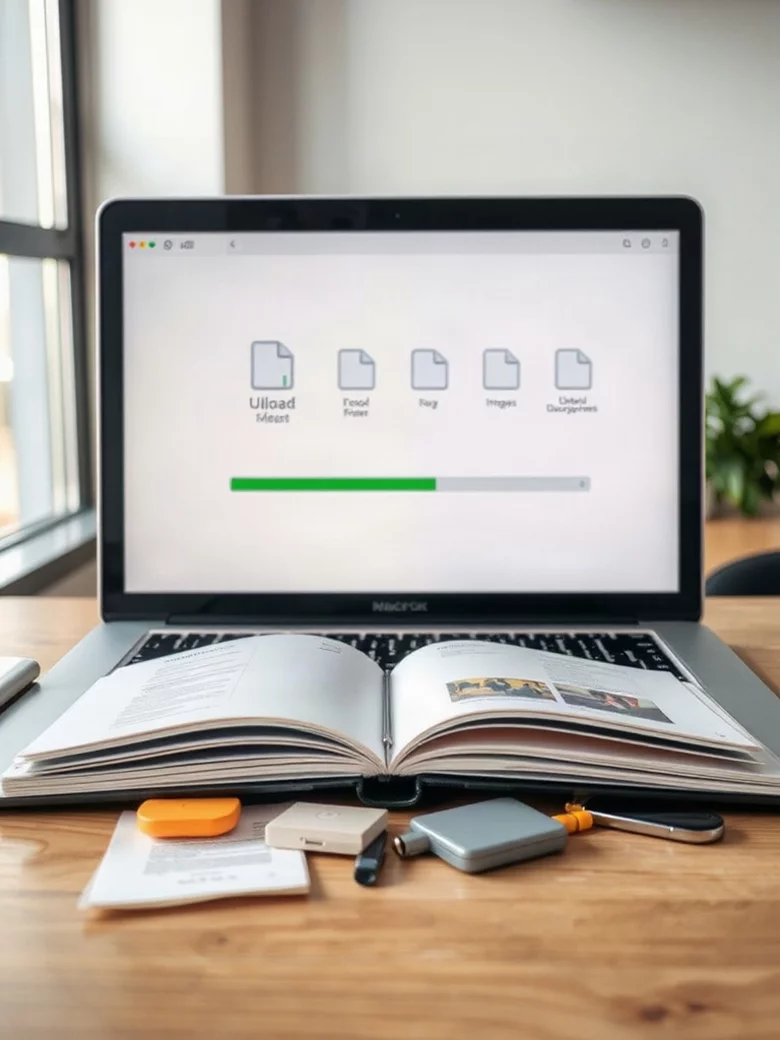
This visual compares common email attachment limits and highlights key aspects of secure file transfer methods.
Have you ever found yourself in a situation where you needed to send a large file but hit a wall because of email attachment limits? It's a common frustration! Most popular email providers, such as Gmail and Outlook, have strict limits on the size of attachments—typically around 25 MB for Gmail and 20 MB for Outlook. This restriction can cause significant delays and headaches, especially when you're working against a tight deadline. Imagine trying to send a high-resolution video or a hefty presentation and realizing you can't attach it. This is where many projects hit a snag.
While you can often resort to compressing files or splitting them into smaller parts, these solutions might not be practical. Not only can they complicate the sharing process, but they can also lead to confusion for the recipient. After all, who wants to hunt through their inbox for multiple parts of a single file? This is why finding a reliable method for sharing large files is essential.
Understanding these email attachment limits is crucial for any professional. By recognizing these constraints, you can proactively seek alternatives that simplify your workflow. For instance, traditional email can cause disruptions when sending essential documents, leading to missed opportunities and wasted time. Instead, embracing a platform designed for secure file sharing, like AceFileDrop, can relieve those stresses! You’ll enjoy smooth, uninterrupted file transfers without the cumbersome limitations that email imposes.
These limits mean that, all too often, users are left scrambling for solutions when faced with sending larger files. It’s an all-too-familiar scenario that can be avoided with the right tools.
When it comes to sharing files, security should always be top of mind, especially if you're dealing with sensitive information. Consider what’s at stake: client contracts, personal data, or creative materials that could be misused if they fall into the wrong hands. Utilizing a secure file-sharing solution ensures that only authorized individuals can access your files, thus safeguarding your valuable information. For more comprehensive guidance on secure file sharing, resources like those from Carnegie Mellon University provide valuable insights.
At AceFileDrop, we prioritize the importance of security in every file exchange. Our platform not only simplifies the sharing of large files but also ensures that your data is protected. By using methods such as encryption and password-protected links, we provide a reliable way to collaborate without fear of data breaches.
Deciding how to share large files securely involves assessing both the size and sensitivity of your data. Not all methods are created equal, and understanding which one fits your needs can save you time and stress. To help you navigate this, here are a few key factors to consider:
By evaluating these factors, you can select the most appropriate method for your needs, ensuring both security and efficiency.
Now that we’ve established the importance of selecting the right method, let’s explore various secure file transfer options available. Each method has its unique advantages, and understanding these can help you make an informed choice:
Services like Google Drive, OneDrive, Dropbox, and Box offer robust solutions for sharing large files. They allow users to upload files and share links with selective access, ensuring that only authorized users can view or download the files.
For those who prefer email, there are options for sending files securely through encrypted email services. Pairing these with file encryption software can add another layer of protection, ensuring that even if the email is intercepted, the contents remain secure.
Protocols such as SFTP (Secure File Transfer Protocol) and FTP (File Transfer Protocol) provide secure methods for transferring files. SFTP is particularly beneficial for transferring sensitive data, as it encrypts the connection and protects your files during transit. For further details on such protocols and other secure file sharing practices, institutions like the University of Missouri-St. Louis offer valuable resources.
There are also specialized services like WeTransfer, TransferNow, and Filemail that focus on large file transfers. These platforms typically offer user-friendly interfaces and ensure that files are sent securely and efficiently.
Choosing among these methods depends largely on your specific needs, but we at AceFileDrop believe that having a secure, user-friendly option can make all the difference in your workflow!
When sharing large files, always consider using a service that offers end-to-end encryption. This ensures that your files are not only transferred securely but are also protected from unauthorized access during the upload and download processes.
Most popular email providers have strict attachment limits. For example, Gmail typically has a 25 MB limit, while Outlook and iCloud have a 20 MB limit. Yahoo also limits attachments to 25 MB.
Secure file sharing is crucial for protecting sensitive information such as client contracts, personal data, or creative materials from unauthorized access. It ensures that only intended recipients can view or download your files, preventing potential misuse or data breaches.
There are several secure file transfer methods, including cloud storage solutions (e.g., Google Drive, Dropbox), encrypted email services, direct file transfer protocols (e.g., SFTP, FTP), and specialized file sending services (e.g., WeTransfer, Filemail).
When choosing a file-sharing method, consider factors such as file size, data sensitivity, accessibility requirements for recipients, and ease of use. Larger or more sensitive files may require dedicated services with enhanced security features like encryption.
End-to-end encryption ensures that your files are encrypted from the moment they leave your device until they are decrypted by the recipient. This protects your data from unauthorized access during upload, transfer, and download processes, providing maximum security.
In our exploration of secure file sharing, we’ve delved into various methods and best practices crucial for safeguarding your data. We discussed how understanding the challenges of large file transfers, like email attachment limits, can help you navigate the options available. Remember, choosing a secure method is essential not only for compliance but also for protecting sensitive information.
We highlighted several secure file transfer methods, including cloud storage solutions, encrypted email services, and direct file transfer protocols. Each of these options offers unique benefits tailored to different needs and types of content. With secure file-sharing services like AceFileDrop, you can ensure your files are exchanged without the hassle and risks associated with traditional methods.
Having a clear understanding of these methods positions you to make informed decisions, allowing for smoother project collaboration while maintaining data integrity.
As you assess your file-sharing needs, it’s crucial to choose the method that aligns with both your requirements and the level of security you need. At AceFileDrop, we believe that prioritizing security is not just a recommendation; it’s a necessity in today's digital landscape. Whether you’re working with large files for a project, sensitive client information, or valuable creative content, making the right choice can significantly impact your workflow and peace of mind.
Reflect on what you value most in a file-sharing service. Do you need ease of use, robust security features, or perhaps a combination of both? With so many options available, it’s important to ensure that your chosen method meets your specific demands. A secure and efficient file-sharing solution is just a click away!
Ready to take the plunge into secure file sharing? I encourage you to explore the recommended tools tailored for your needs. Try out AceFileDrop for a user-friendly experience that prioritizes security. I’d love to hear about your experiences as you navigate through these options—feel free to share your feedback! Remember, the right tool can make all the difference in achieving seamless collaboration while keeping your files safe.
Your next big idea deserves secure sharing. Let’s make it happen together!
Here is a quick recap of the important points discussed in the article:
Jordan V. Mitchell is a digital solutions expert, enhancing project collaboration through technology. With extensive experience in secure file management, Jordan streamlines workflows and boosts productivity, ensuring clients can focus on their projects without technical hurdles. At AceFileDrop, Jordan helps you share large files—like manuscripts, videos, and project materials—securely and effortlessly. Ready to simplify your file sharing?
At AceFileDrop, we offer secure private file sharing and temporary storage tailored for qualified clients. Streamline your project collaboration and share large files with ease and peace of mind.
Secure Your Project Files Today!